Sunrise At The Studio - How To Play
Games in This Video
1 game is featured in this video — it unlocks as you watch.
Transcript
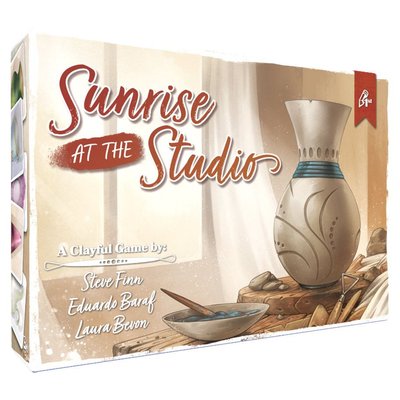
hi and welcome to watch it played my name is Rodney Smith and in this video we're going to learn the one to four player game sunrise at the studio designed by Steve Finn and Eduardo barff and published by pencil first games who helped sponsor this video your Pottery Studio is set up and the sun is rising so all that's left is to gather supplies and Unleash Your creativity you've got 3 days to bring your Creations to life and showcase your talent so join me at the table and let's learn how to play to set up put this waste basket and cup of coffee card in the center of the play area then collect and Shuffle the six Studio challenge cards which have this back dealing three of them randomly face up nearby and returning the remaining three back to the Box these are the Day cards which you put into a stack ordered from 1 to three with the one on top Now find these double-sided project cards ensuring the side with a star and value in the top right hand corner is face up from these find the four starting projects which will have an s in the bottom left and set these aside for now Shuffle the rest into a single deck and then deal three into a row beside it so that four projects are visible the three you delt plus the one on top of the deck the cards with this back are the resource cards go through these by their fronts and remove any showing a number of
players here higher than the number of players in your game we'll assume we have two players in this video and return any showing this three and four player symbol back to the Box Shuffle the deck that remains and place it face down then find the advantage cards which have this back and shuffle them into a face down deck as well after create a supply of these resource tokens now everything we just laid out is known as the community area next each player takes a studio mat player Aid three large and three small tiles in their chosen color and collects 15 resource tokens from the supply find the four starting projects we had set aside earlier which have an s in their bottom corner and randomly give one to each player to set to the left of their Studio mat returning any leftovers back to the box now collect the resource cards from the community area and deal all of them out evenly to each of the players when you're done each person will have 12 of these cards which they'll store face down below their Studio mat and that's the setup in Sunrise at the studio you and the other players will be attempting to gather the resources required to complete various Pottery projects that will score you points have the most points by the end of the game and you win the game is played over 3 days and each day is divided into three rounds during a round
players perform four steps as shown here on this side of their player Aid first they select resource cards which all players resolve at the same time they do this by each drawing a hand of four cards from the resource stack below their Studio map next each person picks one of the following three work Styles as shown here on their player Aid we'll see how each of these work in a moment but once you've made your selection add one of your large tiles to the matching style found here on your studio map keep in mind during the next round you won't be able to choose that workstyle since it's already covered but now let's go through the different styles and see how they work the symbol we see on screen here represents the efficient workstyle when selected you pick three of the cards from your hand to keep adding them face down to this pottery wheel on your studio mat and the fourth you set face down on the studio mat of the player seated to your left the cards you pass to your opponent will remain a secret until they're revealed later now let's take a look at the measured workstyle which is represented by this icon when you select this you pick two cards in your hand to keep adding them face down to your pottery wheel then you pick one to add add face down to the pottery wheel on your left and the other to your right now in a two-player game just add both cards you're passing to your opponent's mat finally we have the
wasteful work style when you choose this one you pick any one card to add face down to your pottery wheel and one to put face down on the pottery wheel mat to your right of course in a two-player game it would just go to your opponent the remaining two you then discard face down onto this waist basket players should choose their work style independently not based on other players choices so if it helps your group Shield your choice until everyone is ready and then reveal and resolve them after this first step is complete you move to the work on Project step of the round which again all players resolve at the same time here everyone reveals the resource cards currently on their pottery wheel you'll now trade these in for resource tokens you can either assign to projects you're working on which are located to the left of your studio mat or to this Reserve area here each resource card will show one or two symbols many of them representing either the three different types of Clays like we see here or these symbols representing the three different types of glazes or these which represent the three different types of kilms you'll find a reminder of these different resource types here on the other side of your player Aid during the game you'll have one or more projects you're working on known as your in progress projects and these will be located to the left of your studio mat at the beginning of the game you'll only
have one but as we'll see there are ways to get more as the game goes on the resources required to complete a project are represented by the symbols shown here at its bottom these are the same types of symbols you'll find on the resource cards you've collected during this step if you have a resource card matching a required symbol on one of your projects you can flip it face down onto the waste basket to move a resource token to the matching symbol on your project this means that requirement is now fulfilled I also have the required glaze resource card so I'll spend this to move a resource Cube to that icon if a card has two symbols it provides you with two of those resources but I only need one of them right now however anytime you gain a resource instead of adding it to a project you can put it in your reserve located here on your Studio M or you can do both I could spend this to move one resource to the required resource on this project and the other to my Reserve or if I really wanted to I could have moved both to the reserve again the choice is up to me and this is because you can always assign resource cubes to your reserve and you'll especially want to do this with resource cards you can't use for your current projects because any resource cards you don't use by the end of the round are lost so to summarize a resource card on your studio mat can be spent to move resource tokens to the matching symbols
on a project you're working on or to put tokens in the reserve or both then the card is placed face down into the waste basket some resource cards may show two symbols with a dividing line if so when used you assign a resource token to one of those symbols on a project or to your reserve if you see this symbol it represents a wild resource which means you can use it to place a resource token onto any resource icon of your choosing or as always onto your reserve speaking of the Reserve at any time during this step I may convert two tokens there into any one resource of my choice so I could convert these two tokens into this clay I need I would just add one of the tokens to the icon and put the other one back in my personal Supply although it's unlikely to happen during the game if your personal supply of resource tokens runs out just take some from the General Supply or another player Supply who has extra the tokens you start with aren't really yours they're for anyone who needs them but having a few set in front of you is convenient and that's why players were given some at the beginning of the game when assigning resources to projects if you cover all of its required icons the project is considered complete nothing happens yet but you should announce that you've completed the project so the rest of the table knows all right once everyone has used every card from their Studio mat to place resource tokens onto their projects or their reserve and has
ensured that all of those cards were then set into the waste basket it's time for the complete project step of the round now only players who completed a project in the previous step will participate in this step and turns here will be taken in what is known as the project order players who completed projects compare the values showing in their top leftand corner and then you resolve each completed project in order from lowest to highest value in this case the player here has a completed project with a lower value so they go first and resolve this one and then this player would resolve theirs let's say it was later in the game and this player had two completed projects and this player had one we'd start by resolving this project since it had the lowest value then this player would resolve their project next since it has the next highest value and then we'd bounce back over to this player to resolve the highest valued project here in this way you might ping pong back and forth between players all depending on the values of their projects when resolving a completed project you return its resource tokens to your personal Supply and flip it over to its completed side moving it to the right side of your studio mat in this way projects you're working on on are stored on the left and completed projects are stored on the right after completing a project you immediately pick one of these three possible bonus actions to perform so let's go through each one one option as shown here is to take any two projects
from this Row one at a time you can take any one of the four showing and after taking one if it leaves an empty space refill it with a new one from the top of the deck and then collect your second card maybe I'd take this one always put new projects you collect to the left of your studio mat these are now projects you'll be able to work on in future rounds so that was the take two projects bonus action but when you complete a project you may instead take this bonus action which allows you to collect just one project along with the top card of the advantage deck or instead you can resolve this bonus action where you take no projects and draw three Advantage cards going through them picking one to keep and placing the other two at the bottom of the advantage deck you can examine your own Advantage cards as you like but keep them a secret from the other players and you may use Advantage cards you have at any time you like or as they would apply and these come in three different types if it has this onetime use symbol in the top corner you can reveal it to resolve its effect this one allows you to to add two resource tokens to your reserve there's only one copy of this card in the advantage deck and it adds one resource to your reserve and has a go first effect after playing this you leave it in front of yourself and then when it's time to resolve the
complete project step you pick any one complete project you have and resolve it first no matter where it would normally resolve in the project order then after any remaining projects are resolved in the usual order at the end of The Round In which this card was played it is then discarded whether or not the player got to take advantage of this go first effect anytime you finish resolving or would need to discard an advantage card you place it on the bottom of the advantage deck advantages with this symbol are known as endgame advantages which you can play at any time even at the very end of the game we'll see the benefit of this coffee bean symbol later but some end game advantages will have personal goals you'll earn the points showing in their right hand corner if you completed at least one of each of the types of pottery shown on the goal your completed Pottery shows its type in this area with the types of clay and glazes it required beside it so an endgame Advantage like this is scored if I end the game with at least one completed cup and plate perhaps like this each of your endgame cards can only be scored once no matter how many times you satisfy it but a completed project can satisfy the requirements of more than one goal so I could use this plate to satisfy both of these requirements the final type of Advantage you might gain is a showpiece if you have one then
when you choose to reveal it add it to the left of your studio this is not considered a project for gameplay purposes but you can assign resources to to it like any other project and as soon as its requirements are filled return its resources to your supply and move it to the right side of your studio you don't get to resolve a bonus action for completing a showpiece but it will earn you points at the end of the game so those are the various effects you'll find on Advantage cards but every Advantage can be used in one other way instead you can always discard an advantage you haven't revealed putting it at the bottom of the advantage deck in order to add one resource token to your reserve so just to recap after resolving a completed project and moving it to the right side of your studio mat you immediately resolve any one of the bonus actions but keep in mind unless it's the final round of the game you must always ensure you have at least one in progress project for the next round so if after completing a project you have none in progress then the bonus action you pick must be one that gives you a new project and remember showpieces do not count as projects so in this case I'd have to take a new one now here's another situation to consider if the project deck itself has only one or no cards left in it you may only use a bonus action to take a project if you
would otherwise not have at least one in progress project for the start of the next round in other words again if the deck was empty or had only one card in it you're not allowed to perform a bonus action to take projects from this row if you already have projects in progress in addition to gaining a bonus action after completing a project you also check to see if you completed a studio challenge these are the three cards we laid out here during setup and each have their own requirements for example this challenge is awarded for completing three different projects that all you used the same type of clay as we saw earlier the type of clay a project used is shown on its completed side here and if I had these two completed projects and then completed this one I now have three that have used the same type of clay the first player to complete a challenge moves one of their small tiles to its leftmost empty space only one player can be first but any number of players who complete the challenge after can assign their small token to the the rightmost space so if we had a third player and they also completed the challenge their token would go here you may only complete each challenge once but you could complete several in the same round and a completed project you use to satisfy One Challenge can also be used to satisfy others and remember completed showpieces are not considered projects so they can't contribute towards
challenges we're not going to go through the requirements for each challenge card but you'll find them all explained here in the rule book if you have any questions so again during step three players take turns resolving completed projects based on the project values going from lowest to highest and when you complete a project you take a bonus action and may complete one or more Studio challenges also keep in mind advantages you gain as we saw could provide you with extra resources for your reserve and remember at any time even during step three you can convert those resources into tokens that you need and if that causes you to complete a project during step three you move it to the right of your studio and resolve it during this round following the project order here I'll give you an example to show you what I mean if I had just resolved this value8 project and then collected this advantage to gain two resources which I then converted to complete this value 15 project I wouldn't immediately resolve this if I or another player had a complete project to resolve with a lower value I'd have to wait until it came to this project in the current order now that said if I completed a project during step three with a lower value than any of the other players who are waiting to resolve their completed projects even if it's lower than projects that have already been resolved so far this round then it would get
resolved next okay once every player's completed projects have been resolved we move to step four or the end of the round if players still have cards face down below their Studio mat you start a new round just as before with each person drawing four cards and then picking a work style and so on however if at the end of a round the players decks are empty it's time to start a new day all the resource cards should now be in the waste basket so collect and shuffle them dealing 12 to each player just as we did at the beginning of the game each player also removes the three large tiles from their mat then you reveal the next day card and begin the next round you will continue completing three rounds per day until you get to the end of the third round on the third day at that point the game ends however if you ever run out of available projects in the community display the game also ends at the end of whatever round you are currently in no matter how the game ends players still holding any endgame scoring advantages should reveal them then the person with the most coffee beans showing on completed projects completed show pieces and Advantage cards collects this cup of coffee if there's a tie for most coffee beans no one collects it then it's time for final scoring where you'll add together all your points which are the values showing within star icons gain the points showing here on all of your
completed projects and then lose one point for every incomplete in progress project you have however gain one point for each resource token you might have on them you don't lose points for any in progress show pieces you may have but you do gain one point for each resource they currently have assigned to them and earn the points from any endgame Advantage goals you completed and for your completed show pieces and if you have the cup of coffee it earns you three more points then check your reserve and for every two resource you have there earn one point in a case like this it means I'd earn one more Point finally add to this the points showing above any of the small tiles you added to these Studio challenge cards you'll find a reminder of all these ways to score on your player Aid and the person with the most points wins in the case of a tie the tied players should flip their completed projects over to the other side so they can see the values here and the player showing the lowest numbered value wins not counting their starting project the game also comes with components and rules for solo play but those all leave for you to discover on your own otherwise that's everything you need to know to play sunrise at the studio if you have any questions about anything you saw here feel free to put them in the comments below and I'll gladly answer them as soon as I get a chance you'll also find forums for discussion pictures other videos and
lots more over on the games page at Board Game Geek and I'll put a link to that in the description below and if you found this video helpful please consider giving it a like subscribing and clicking that little bell icon so you get notification anytime we post a new video and if you'd like to support us directly you can join our patreon team which I'll have linked below but until next time thanks for watching