3D Print Upgrades & An Awesome Tool To Find The STLs!
Games in This Video
3 games are featured in this video — they unlock as you watch.

Transcript
Hey everybody, I'm Joey Evans and it's time for another 3D printing video. So, we've got some inserts and some cool upgrades to different games and things. So, anyway, um Oh, we also have one really cool tool that someone emailed me in to take a look at and I like this thing a lot. So, I'll be showing you that at the end. And again, if you guys have anything you want me to print or great upgrades or whatever 3D printing wise questions and especially, you know, inserts or upgrades that you have that I might not have found because there's so many different places out there to find all of these files. Email them to me at joey dicetower.com because I will look at all those and I try to answer mostly all my emails. So, please send those in to me. If you have something you're printing that you love, I'd love to see a picture of it. Or if you're working on something, we can work together at it. Anyway, so let's get started on what I printed this month and a little surprise. It's pretty cool.
Okay, so um first I printed for this is actually for Camila because she has this game and she loves it. This is for her personal copy. This is a above and below haunted insert, which is pretty cool. This right here, this replaces the cardboard insert that came with it. And there's plenty of room for the deluxe Kickstarter components as well as the cardboard components if you want to keep some of those. It also has room for the print and play expansion haunted museum, which I'm not sure if Camila has or not, but um now you can do this with sleeves or without sleeves. That's a big question I have when you look at inserts because some people sleeve, some don't. So, I want to make sure I have that ability later. So few of my games are sleeved, but I want that option anyway. So, this has it. And I also love the big words on the side that tell you what exactly goes into each box. It's not always possible with inserts because there's so much stuff. Sometimes you need like little cheat sheet or map at the top, but if you can put the words on the side, that's fantastic. So, this does have that. Now, one thing I will say when printing this, I printed this all, gave it to Camila, and I realized that I did not have everything on there.
you have to print three more of the player boxes. It just has them as a on on Maker World. It has them as one plate. So, you have to print that plate three more times. So, a total of four times. Now, the reasoning behind this is you can switch the colors if you want a color to be blue for one player, red, whatever. I just printed gray across the board on this because I have a lot of gray filament. So, I just printed gray, which works fine. So again, this makes everything hit the table easier, which is what an insert is all about. Anyway, so this is an insert for Above and Below Haunted. Okay, so next hit keeping track of hit points. Every game has their own method. Um I remember was it Star Realms that had that like those two cards you flipped over, one had like double digits, the other one had single digits, and you moved up and down.
That was brutal. Then some just have the straight hearts. You take some hearts, you take hit points back and forth. Anyway, I've always wanted like a hitpoint tracker and to have one. So, I printed a couple hit point trackers and of course, all the links are below for everything here. I'll show you a couple of the ones I printed here, too. One is the gray and black one. This one I enjoyed. I like it. I like the little design on the front. Um, this one, the first one I printed did not do like a little click as you flip through the numbers. It's just a free spinning spinning wheel. So, you just have to kind of line it up on the points you have, which is fine. It's a non-event, but I brought it in and and Z was like, "Well, you can kind of see the side of the wheel there." Whatever, man. But, um, you could actually switch these where you put the bottom one above it.
Anyway, so um, this one I do like. This is one very simple print. All of these are simple prints. The other ones actually do the whole clicking mechanism. And the one I really like is this right here. I'll show you a close-up of it, too. This one does have the click as you can move and you just very it's like satisfying when you hear when you feel that click and you know you're going to stand you're going to sit right on that number and you raise and lower your hit points. They have a lot of spring in these. I printed all these out of PLA. If you did the spring thing in the middle on with PETG or something that has more give, it may last longer. But to be honest, this is like an it's a very short print. If I want another one, I will probably print another one. That's what I'll do. And then at the top there's a little plus and minus toggle. Very rarely do I use this, but um sometimes you can use it if you want to denote whether you have an object or you don't. There are different reasons in different games you may want that. But this right here, these I love.
I use them for everything from stars to dungeon crawls. These are great. And also there's a couple versions. I think one of these, this one has a version that actually goes together with screws, but the locking ones, I see no problem with these at all because they stick together really well. You can throw some glue on there if you want to. I haven't. Oh, go again. AMS-wise, I did print these with an AMS, which is the thing that Bamboo Lab has on top that switches the colors, but if you have like a Prussa, something else, you can actually change, they have pauses, so you can swap the colors at different points or you could even color in the numbers if you want to. and those will look fine as well. Again, this is not not be aesthetically perfect because I think these are great as far as having in your game room. Have four. I think we have six of them. Just in case something does use hit points, these are really fun to track them. Anyway, hit point trackers.
Those are a must for our game room. Okay, so it's pretty funny what I print that I think Tom will think is silly or not silly. Some things I think are awesome. He's like, "This is silly. This one I thought would be silly." He's like, "This is great. This is a storage for all my Buttonshy games. Now, that sounds weird because Buttonshy, of course, are the small 18 card or so. I say or so because every single one has a million expansions, but um that they're small little packet cards. But the problem is I travel with these and right now they are currently in my drawer just all around. So, if I'm looking for certain ones, it's hard to find them. Tried to find a good little storage thing and then I came across this bad boy of Maker World. This right here has Buttonshy on the back. Again, this I don't use for only buttonshy games. I use this for pretty much all type of wallet games. There's a lot of different kind out there, but this is great. It keeps them all organized. So, if I'm about to go on a trip or if I just am going to dinner or whatever and I want a quick card game to take with me, this is great to look through there and to find different cards. One thing I did do is I ordered a lot of these little these little wallets. You can order them. As a magician, we we live by these wallets.
We have a lot of different card tricks that go in these. But I ordered several of these for some of the expansions that you get like skulls of Cedilic. I have pretty much every expansion for that. So, I needed several more. So, I've got those and those all fit in here. Some of them fit two per slot and some of them fit one. But, it's really, really nice. I'm probably once I fill this up and here's the other thing. I could probably fill this up because I have a lot more buttonshy games, but I have lost them. How have I lost them? What I'm saying? I stick them in little pockets. At one point, I carry this like little messenger bag, which was like a phase I went through, I guess. I don't know. I no longer carry the messenger bag because people commented on weird. But, um, anyway, that probably still has some of these buttonshy games in it. So, these are strewn all along the house in all these drawers. I'll eventually find them and fill this up and probably print a second. Really proud of this one. This came out really well. Very solid. Looks good on the shelf. So, this is one if you have any of those buttonshy kind of wallet style games, definitely check this out. Okay, so there's a game that I played for a while, then I stopped because I'm like, I'm a real gamer. I don't play this anymore. And then I realized that's that's me being an idiot. This is a fantastic game. It's Ticket to Ride. I love Ticket to Ride. I played all the other Ticket to Rides and now I've went back to the base. I reacquired the base and I have it because again it's one of those that gamers and non- gamers just love to play. Um so anyway, I'm gonna start to it start to really upgrade this game. So
I know a lot of you are out there if you're into gaming at all and you know Ticket to Ride and 3D printing, you probably printed some pretty cool upgrades for this because the game's been around for a long time. It's very well-loved. So I'm sure there are just some fantastic upgrades. Like I haven't even upgraded my trains yet, which is insane. But this right here, this goes into the insert in ticket to ride. And this makes it easier for those trains to come out and go to each each individual person. These are great because these slide together. You look at it's okay. Several reasons I like this. One, you can just hand them out. You're like, "Okay, here you go. Here are your trains. Here you go." And two, you can see how many trains you have left at a glance. Because it's funny playing Ticket to Ride, you give people a bag of trains and everyone's going to stack them up and take the first five or 10 minutes to kind of stack them up and get them looking nice. Usually while you're telling the directions, instructions how to play, they're lining up their trains.
But this has everything really nice right there in front of them. This is an easy print. There are no supports in this. The bottom prints as one piece and then you can change the color for the top if you want to. I did. So, it looks really nice. Again, I am going to upgrade this. I want to just do all these upgrades with Ticket to Ride. There's some pretty cool stuff out there. So, if you have ideas, email that to me. Again, joey dicetower.com. But, if you uh have Ticket to Ride, definitely check this out. I'm not sure which versions it fits. I mean, I think the trains depends if the trains are the same size, but um I've seen this work for several different versions, but this is for the base and I love it. So, this is something highly highly recommended. I'm actually going to print this as a surprise for a friend of ours, too. So anyway, Ticket to Ride, the kind of train holder. Is that the name of it? I don't know. I'm gonna call it that.
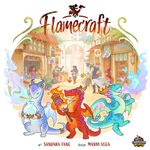
Okay. So, um, this was for Flamecraft. Flamecraft is a game that I love. My family loves, but this is when I played this on the Dice Tower Cruise and and Tom has some really nice Etsy upgrades. Now, these are pretty pricey. I think he has some wooden ones here that all the components or all the up the resources go into their little slots, which is nice. and everything fits in there perfectly and I liked it, but I didn't want to spend all the money on these Etsy upgrades. So, I found these right here. These are great. These right here again are the resource. They they hold your resources. A couple reasons again why these are nice. Number one, they they look good. I printed mine in gray and white. You can change the player color. You can have them match the dragons. I know a lot of the people did that. They'll do pink for the pink dragon, purple for a purple dragon, whatever. I did gray and white for ours.
But another thing is you have that resource limit. So you can only get think seven resources for each thing. At a glance, you can see how close you are to hitting that limit. So you want to know if you want to go certain places and get this resource or you're going to waste that turn if you do that or if you want to ditch these resources or whatever. Because that right there, that's the one thing I noticed about playing that at on the cruise with that board is that was the main thing I utilized. At a glance, I could see how many resources, how much space I had everywhere. This is great. Again, this is an easy print. One thing I will say is it seems to be a bit thin, so I think you could probably take this in and maybe thicken it up a bit. I think the thinness is so it still fits inside of the box and doesn't add too much size or weight to it. Um, also, if I did it again, I would probably turn on iron. I ironing. So, if you know what ironing is, ironing is the top layer. it. Don't know what it is. Some sort of magic melt thing, but it kind of takes away the It kind of fills it, makes a nice little top layer. So, I would do that. But anyway, um this is for Flamecraft. This is fantastic. So, check it out. Okay.
So, next is a tool somebody emailed me that I did not know existed. And this is fantastic. This was sent to me by Joe Bazilla. He is This is a He didn't make it, but I guess he found it somewhere. But this is for finding 3D prints for your games. This is pretty incredible. So, I used it and I'm going to use it more, but I need to tell you guys about it as well. Whole thing is this. You're going to go to this website. The link is below. And you're going to put in your BG username. It is then going to compare your owned games with a list of 3D prints available for your game. Now, there are so many that I did not know about that are on there. So many upgrades. This seems to pull from. It seems to crawl uh fangs which is another website thingiverse printables maker world and some other ones I think even Yaggi or whatever. So I don't know the accuracy on this and also the age. Some of these pull some prints that on Thingiverse some of those prints are older and very specific niche needs but they're all there so you can click through there and look. Now speaking of Thingiverse I don't know if you've heard this that Thingiverse was just acquired by my mini factory. The big thing about Thingiverse is I've avoided it because it seems kind of dated a lot of the things on there. So, I don't really go to it much, but my Minactory did just acquire it. So, they're going to kind of upgrade that. So, hopefully in the next little bit you're going to see that being upgraded and maybe some more features added to that because I think the plethora of stuff there is great.
Anyway, back to this whole um this this tool. It's pretty cool. I go through there and it's it's going to take a long time. Number one, you have to go through BGG and put your games as owned on there, which I'm not good at updating because the video you're seeing, I don't own a lot of those games anymore. So, I need to go through and kind of callull it or and then add some because I also am not good at adding the games. This also might make me keep them updated. Again, I don't know how accurate this is. I don't know how it pulls from them. So, I don't really know where it gets its information from, but it's showing me things I did not see. So, this is something definitely worth checking out. So, check this out. This is to find different 3D prints for your games.
Okay. Well, that is it. That is Wow. everything that I've 3D printed. Not really. I've got other things that I'm saving for next week or next month, I guess, or whenever I do the next one. I don't know. But anyway, if you again, if you guys have stuff you want me to look at, other upgrades, whatever, or just to say if you like the video, keep doing it. I love reading your emails, folks, because I will say on a personal level, switching from doing like talking to an audience to talking to a camera, it's really weird. It's like I have to know people are actually out there. So, when I get your emails or something, it makes me think, huh, people actually watch this. That's cool. Kind of inspires you to do more, you know? Anyway, but if you if you guys also have like upgrades or questions on 3D printing or give me advice because I'm still learning, too. Definitely email me at joey dicetower.com.
So, all right guys, keep printing and I'll see you later on the channel. Hey folks, thanks for joining us for that video. If you haven't yet, like the video, subscribe to the channel, and hey, make sure you check out what's happening where I'll cover an app on an iOS or a Switch device, and you can check it out along with me. Thanks very much. You've been watching the Dice Tower.